Getting Started
Get started with the HypurrQuant DeFi Platform at app.hypurrquant.com.
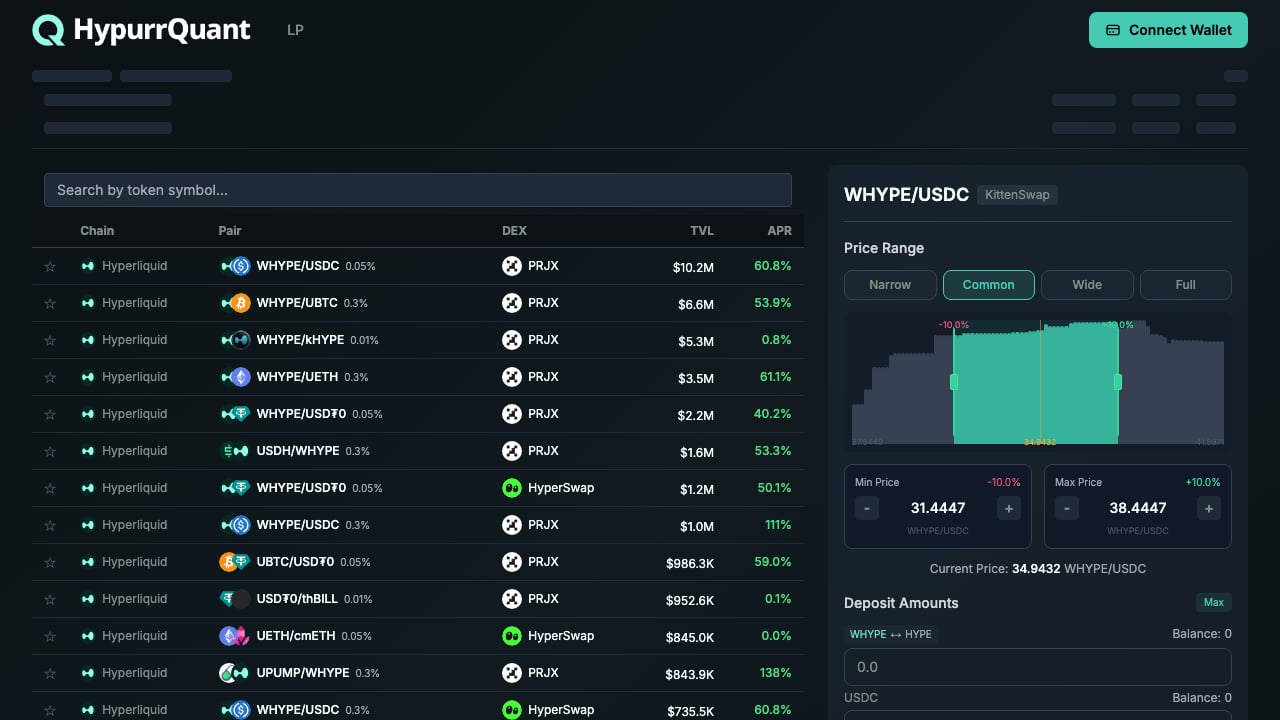
1. Connect Your Wallet
Click the Connect Wallet button in the top-right corner. HypurrQuant supports multiple wallet connection methods:
- Privy — Email or social login with embedded wallet (powered by Account Abstraction)
- WalletConnect — Connect any WalletConnect-compatible wallet (MetaMask, Rainbow, etc.)
- Coinbase Wallet — Direct Coinbase Wallet integration
- Telegram — Login via Telegram OAuth
HypurrQuant uses ERC-4337 Account Abstraction, enabling gasless onboarding. You can start using the platform without holding native gas tokens.
2. Select a Chain
HypurrQuant currently supports Hyperliquid (HyperEVM) as the primary chain. Multi-chain support (Base, Avalanche) is coming soon.
3. Explore Pools
Once connected, you’ll see the Pool Explorer — a list of all available LP pools sorted by TVL. Browse pools across multiple DEXs:
- PRJX
- HyperSwap
- KittenSwap
- Ramses
4. Mint LP Position
Select a pool, configure your Price Range, deposit tokens, and mint your LP position. Use Zap Mint for single-asset entry.
| Requirement | Details |
|---|
| Network | Hyperliquid (Chain ID: 999) |
| Supported Tokens | WHYPE, USDC, UBTC, UETH, kHYPE, USD₮0, and more |
| Wallet | Any EVM-compatible wallet or Privy embedded wallet |

